The Great Streaming Exit
Streaming subscription costs have doubled since 2020. Learn the rotation strategy, free alternatives, and audit process to cut your bill by 40-60% in 2026.
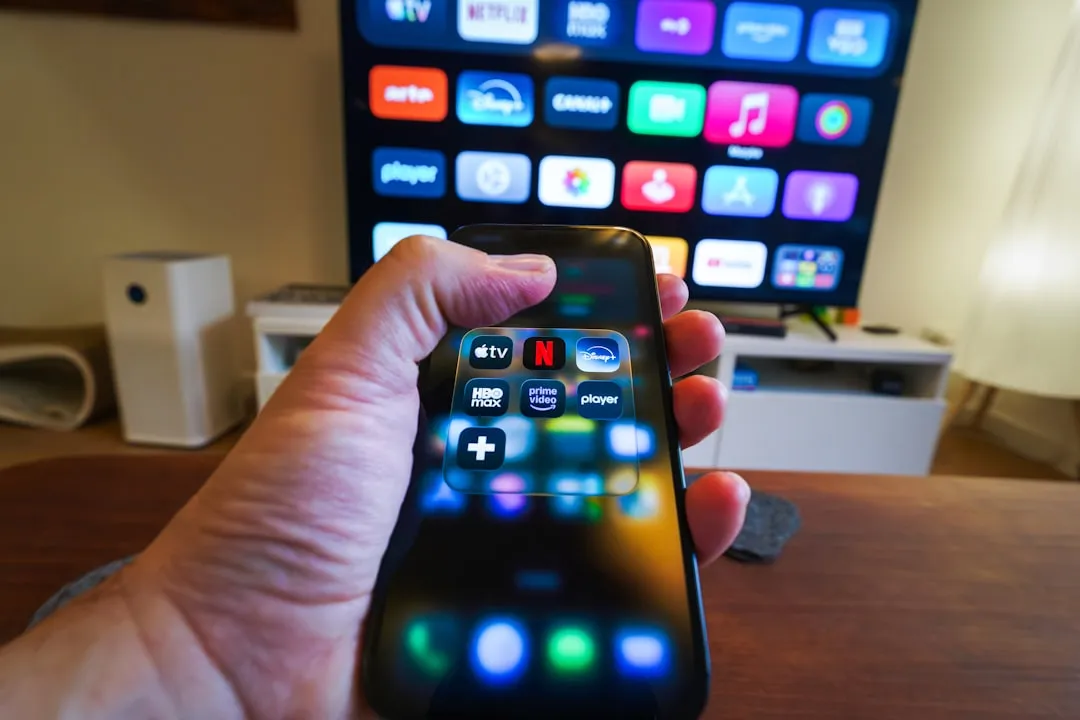
The average American household now subscribes to 4.7 streaming services at a combined cost of $87/month. After a decade of cord-cutting enthusiasm, many consumers are experiencing subscription fatigue. Here’s how to reclaim control of your entertainment budget without missing the content you actually watch.
The Streaming Inflation Problem
What happened to “streaming is cheaper than cable”? Price increases tell the story:
| Service | 2020 Price | 2026 Price | Increase |
|---|---|---|---|
| Netflix (Standard) | $13 | $17 | +31% |
| Disney+ | $7 | $16 | +129% |
| Max (HBO) | $15 | $17 | +13% |
| Hulu (No Ads) | $12 | $18 | +50% |
| Amazon Prime | $119/yr | $149/yr | +25% |
Meanwhile, the password-sharing crackdown means you can no longer split costs easily with family. The economics that made streaming attractive have fundamentally changed. And that’s just the visible costs — our breakdown of hidden streaming fees most households miss shows the real number is 40-70% higher than what people think they’re paying.
The Streaming Audit
Before cutting anything, understand what you actually use. Most streaming services track viewing history.
Step 1: Export Your Watch History
- Netflix: Account → Profile → Viewing Activity → Download All
- Disney+: Edit Profiles → [Your Profile] → View Watching History
- Amazon: Account → Watch History → Download
Step 2: Calculate Cost Per Hour
If you pay $17/month for Netflix and watched 10 hours last month, that’s $1.70/hour. Compare across services:
- Under $0.50/hour — Good value, keep it
- $0.50-1.00/hour — Evaluate if you could rotate
- Over $1.00/hour — Consider canceling
Step 3: Identify Must-Have Content
List the specific shows you’re actively watching or anticipating. Not “Netflix has good stuff”—actual titles. This clarity drives better decisions.
The Rotation Strategy
You don’t need all services simultaneously. Modern streaming strategy means subscribing, binging, canceling, and rotating:
Sample Annual Rotation
- Jan-Mar: Netflix (new season drops) + Prime (included with shipping)
- Apr-Jun: Max (summer movies) + Disney+ (Marvel releases)
- Jul-Sep: Netflix + Apple TV+ (fall premieres)
- Oct-Dec: Max + Hulu (holiday content)
Annual cost: ~$400 vs $1,000+ for all services year-round
Key Rotation Tactics
Set calendar reminders — Schedule cancellation reminders 25 days into each billing cycle. Don’t rely on remembering.
Time binge sessions — When you subscribe to a service, make a list of everything you want to watch. Treat it like a project with a deadline.
Track release calendars — JustWatch.com shows upcoming releases by platform. Subscribe when your shows drop, not before.
Free and Low-Cost Alternatives
Legitimately Free Services
- Tubi — Massive library of older movies and TV. Ad-supported but free. Quality varies but hidden gems exist.
- Pluto TV — Live channels plus on-demand. Good for background viewing and news.
- YouTube — Full movies (with ads), extensive documentaries, creator content
- Kanopy — Free with library card. Criterion Collection, documentaries, indie films
- Hoopla — Free with library card. Movies, TV, audiobooks, comics
Bundled Services You Might Already Have
- T-Mobile customers: Apple TV+ and Netflix (on some plans) included
- Verizon customers: Disney+, Hulu, or ESPN+ bundles available
- Amex Platinum: $20/month streaming credit
- Chase Sapphire: DoorDash DashPass includes some streaming perks
The Return of Physical Media
Here’s a contrarian take: buying matters again.
Content regularly disappears from streaming. Your favorite show might vanish when licensing deals change. For content you’ll rewatch, ownership has renewed appeal:
- Vudu/Apple purchases — $5-15/movie, yours forever (or until the service dies)
- 4K Blu-ray — Best quality, no internet required, true ownership
- Library DVD/Blu-ray — Free! Selection varies but often excellent for classics
A hybrid approach works well: stream new releases, buy favorites you’ll rewatch annually.
Optimizing What You Keep
Choose Ad-Supported Tiers Strategically
Ad-supported options are 40-50% cheaper:
- Netflix Basic with Ads: $7 vs $17 (60% savings)
- Disney+ Basic: $8 vs $16 (50% savings)
- Max with Ads: $10 vs $17 (40% savings)
For services you use casually, ads are a reasonable tradeoff. For your primary evening entertainment, ad-free may be worth it.
Leverage Family and Bundle Plans
- Disney Bundle: Disney+, Hulu, ESPN+ for $15 (vs $35+ separately)
- Apple One: Apple TV+, Music, Arcade, iCloud for $20
- YouTube Premium Family: Ad-free YouTube for up to 6 people
The Nuclear Option: Streaming Sabbatical
Some households have gone further—canceling everything for 3-6 months. What they discovered:
- Library cards provide substantial entertainment (Libby for ebooks, Kanopy/Hoopla for video)
- Antenna TV is surprisingly watchable (free live sports, news, network shows)
- Time previously spent browsing streaming menus gets reclaimed
- When they resubscribe, they’re more intentional about what they actually watch
A sabbatical isn’t for everyone, but even a 30-day streaming fast can reset your relationship with these services.
Sample Optimized Stack
Budget Option: $25/month
- Netflix Basic with Ads: $7
- Prime Video (with shipping): $12 (amortized)
- Tubi, Pluto, Kanopy: Free
- Rotate one premium service quarterly: ~$6 averaged
Balanced Option: $45/month
- Netflix Standard: $17
- Disney Bundle (Disney+, Hulu, ESPN+): $15
- Prime Video: Included
- Rotate Max or Apple TV+: ~$13 averaged
Premium Option: $75/month
- Netflix Premium (4K): $23
- Disney Bundle (No Ads): $25
- Max (No Ads): $17
- Apple TV+: $10
The Verdict
Streaming doesn’t have to cost $100+/month. With intentional rotation, ad-supported tiers, and free alternatives, most households can cut their streaming budget by 40-60% without meaningfully reducing entertainment options.
Start with the audit: what are you actually watching, and what’s it costing per hour? That data drives every good decision that follows.
Optimize Your Streaming Stack
Use our Streaming Optimizer to get a personalized plan that cuts your bill by 40-60% based on what you actually watch.
Frequently Asked Questions
Won’t I lose my watch history if I cancel and resubscribe?
Usually no. Most services retain your profile data for several months after cancellation. Netflix, Disney+, and Max all restore your profile and watch history when you resubscribe. Just don’t wait years between subscriptions.
What about live sports?
Live sports are the main reason to avoid rotation for some services. ESPN+ (in Disney Bundle) covers many sports. For NFL, a digital antenna gets local games free. YouTube TV or Hulu Live are options if live sports are essential, but they’re $70+/month—sometimes cable is actually competitive.
Can I still share passwords with family?
Most services now enforce household restrictions. Netflix charges $8/month extra for members outside your home. The era of casual password sharing is effectively over for major services. Legitimate family plans (where everyone lives together) still work.
More in Lifestyle & Home
Best Budgeting Apps 2026: We Tested 12 for 90 Days
We used every major budgeting app for 90 days. YNAB, Monarch, Copilot, and more ranked by what actually changes spending behavior.
Best Mental Health Apps 2026: What Therapists Actually Recommend
We asked 20 therapists which mental health apps they recommend to patients. The honest results, plus what research says works.
The True Cost of Streaming in 2026: Fees You're Probably Missing
Your streaming bill is higher than you think. We break down the hidden fees, forgotten subscriptions, and bundle traps adding $300-600/year to most households.
From Other Topics
How to Ace Interviews After a Career Change in 2026
Career changers fail interviews by apologizing for their background. Scripts and frameworks that turn your non-traditional path into an advantage.
Education & LearningBest Math Apps for Kids 2026: What Actually Builds Number Sense
We tested the top math apps for kids K-8. Which ones build real number sense vs. which ones just drill facts. Organized by age and skill level.
Education & LearningBest Robotics Kits for Kids 2026: Build Real Engineering Skills
We tested 15 robotics kits with kids ages 4-14. Which ones build real engineering skills vs. which are expensive toys. Ranked by age group.