Hearing Aid Smart Home Integration 2026
Transform your hearing aids into a smart home command center: stream doorbell alerts, TV audio, and voice assistant responses directly to your ears in 2026.
This guide contains affiliate links. If you purchase through these links, we may earn a small commission at no extra cost to you. This helps support The Adaptist.
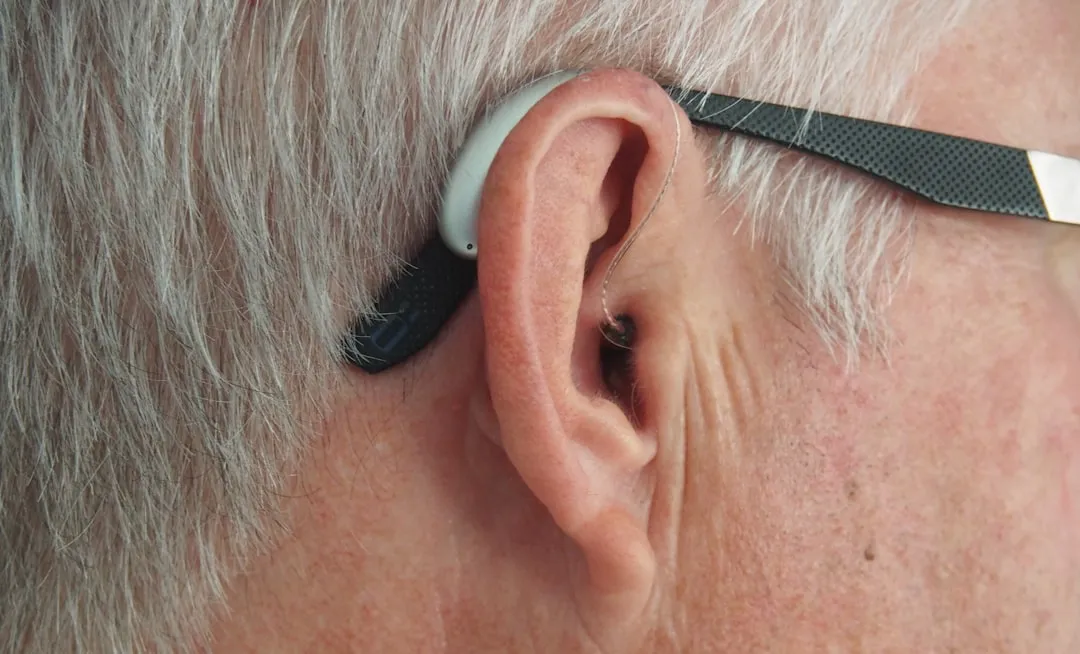
Modern hearing aids have evolved far beyond amplification. In 2026, they’re becoming the central hub for smart home interaction—streaming doorbell alerts directly to your ears, providing real-time captions in conversations, and even monitoring health metrics. Here’s how to transform your hearing aids into a command center. (This guide is part of our Smart Home Guide 2026 series.)
The Hearable Revolution
The term “hearable” describes hearing devices that combine amplification with smart features. In 2026, premium hearing aids include:
- Bluetooth Auracast — Direct streaming from TVs, phones, and public venues
- Smart home integration — Alerts from doorbells, smoke detectors, and security systems
- Real-time transcription — Live captions of conversations displayed on your phone
- Health monitoring — Heart rate, activity tracking, and fall detection
- Voice assistants — Siri, Google Assistant, or Alexa accessible via tap gesture
Smart Home Alert Integration
Doorbell Notifications
Missing the doorbell is a common frustration for hearing aid users. Modern integration solves this completely:
Setup with Ring:
- Link Ring app to your hearing aid manufacturer’s app (Phonak, ReSound, Starkey, etc.)
- Enable “Audio Alerts” in hearing aid settings
- When someone rings the doorbell, you hear a chime directly in your hearing aids
- Optional: Hear live audio from Ring’s microphone streamed to your ears
Setup with Nest:
- Connect Google Home to your hearing aids via Bluetooth
- Enable “Spoken Notifications” for Nest Doorbell
- Google Assistant announces “Someone is at the front door” in your hearing aids
Smoke and CO Detector Alerts
Life-safety alerts are critical for hearing aid users, especially during sleep:
- Nest Protect — Speaks alarm type (“Smoke detected in kitchen”) through connected devices
- First Alert Onelink — Integrates with Apple HomeKit for hearing aid streaming
- Kidde Smart Detect — Works with Alexa for voice announcements
For bedside alerting, pair with a vibrating bed shaker (like Sonic Alert) as backup—audio alerts alone may not wake deep sleepers.
Security System Integration
When your security system triggers, hear the alert immediately:
- SimpliSafe — Integrates with Alexa for spoken alerts through hearing aids
- Ring Alarm — Direct notification through Ring app to hearing aids
- ADT — Works with Google Home for voice announcements
Best Hearing Aids for Smart Home Integration (2026)
1. Phonak Audéo Lumity
Best Overall Integration — $3,000-6,000/pair
- Bluetooth Auracast + Classic — Connects to virtually any device
- myPhonak app — Comprehensive smart home notification settings
- Roger Direct — Streams from remote microphones for TV and conversations
- Tap Control — Double-tap to activate voice assistant
Phonak offers the most seamless integration with both iOS and Android smart home ecosystems.
2. ReSound Nexia
Best for Apple Users — $2,500-5,500/pair
- Made for iPhone — Direct streaming without intermediate device
- Apple HomeKit native — Full integration with Home app
- Siri access — “Hey Siri” works directly through hearing aids
- Find My integration — Locate lost hearing aids via iPhone
If you’re committed to Apple’s ecosystem, ReSound provides the tightest integration.
3. Starkey Genesis AI
Best Health Features — $3,000-6,500/pair
- Fall detection — Automatically alerts emergency contacts
- Heart rate monitoring — Continuous tracking via ear-based sensors
- Activity tracking — Steps, movement patterns
- Thrive app — Integrates health data with smart home routines
Starkey leads in health monitoring features while maintaining strong smart home connectivity.
4. Signia Integrated Xperience (IX)
Best Sound Quality — $2,800-5,800/pair
- Own Voice Processing 2.0 — Your voice sounds natural, not hollow
- Bluetooth LE Audio — Low-latency streaming for video calls
- Signia app — Smart home notification customization
- TeleCare — Remote adjustments by your audiologist
Setting Up Your Smart Home Hub
Option 1: Voice Assistant as Central Hub
The simplest approach uses Alexa, Google Assistant, or Siri as the connection point:
Configuration
Hearing Aids ↔ Smartphone ↔ Voice Assistant ↔ Smart Home Devices
Your hearing aids connect to your phone. Your phone runs the voice assistant. The assistant controls all smart home devices. Spoken notifications route through your hearing aids. For the best experience, make sure all your devices are connected through a central hub that bridges different protocols so every notification reaches your hearing aids regardless of which brand made the sensor or camera.
Option 2: Direct Device Connections
Some devices support direct Bluetooth connection to hearing aids:
- TVs with Auracast — LG, Samsung 2025+ models stream directly
- Phones — Direct audio routing without apps
- Computers — Windows and Mac support hearing aid audio routing
Option 3: Manufacturer Apps as Hub
Phonak, ReSound, and Starkey apps can receive notifications from other apps and route them to hearing aids. Configure your smart home apps to send notifications, then enable audio alerts in your hearing aid app. For this to work reliably across brands, your hub needs to bridge protocols—our smart home interoperability guide explains how to connect devices from different ecosystems.
TV Streaming Setup
Watching TV is transformed when audio streams directly to your hearing aids:
For Auracast-Compatible TVs
- Enable Auracast broadcast in TV audio settings
- Put hearing aids in pairing mode
- Select TV broadcast from hearing aid app
- Adjust TV speaker volume separately (for others in room)
For Older TVs
Add a TV streaming adapter ($200-350) that connects to your TV’s audio output and broadcasts to your hearing aids. Options include Phonak TV Connector, ReSound TV Streamer 2, and Oticon ConnectClip.
Real-World Use Cases
Morning Routine
”Alexa, good morning” triggers a routine that plays weather through your hearing aids, announces your calendar, and confirms the house is secure—all heard directly in your ears while you move around.
Cooking Dinner
Timer alerts and oven notifications come through your hearing aids. When the doorbell rings with a delivery, you hear it over the kitchen noise and can respond through the Ring app.
Nighttime Safety
Smoke detector activates → hearing aid chimes + phone alert + bed shaker. Security breach → immediate spoken alert identifying which door/window with instruction to stay put or exit.
The Verdict
Smart home integration transforms hearing aids from assistive devices into lifestyle technology. For seniors aging in place, hearing aids with smart connectivity are a critical layer alongside physical home modifications and safety sensors. The key is choosing hearing aids with robust Bluetooth connectivity and investing time in proper setup.
Start with the highest-impact integrations: doorbell alerts and TV streaming. Once comfortable, expand to security systems, smoke detectors, and voice assistant routines. Pairing hearing aids with unobtrusive fall detection devices creates a layered safety system that both monitors and communicates. The goal is an environment where you never miss important sounds regardless of where you are in your home.
Use our Smart Home Compatibility Checker to verify which hearing aid-compatible devices and protocols work with your chosen hub.
This guide is part of our Aging in Place Guide 2026 and Smart Home Guide 2026 series. Related reading:
- Smart Home Interoperability in 2026: Getting Your Devices to Actually Talk
- AI-Powered Home Security in 2026: What Actually Deters Break-ins
- Edge AI in Your Home: Why Smart Devices Are Ditching the Cloud
- Best Mesh WiFi Systems in 2026
- The Boomer Turns 80: Essential Tech for Helping Parents Age in Place
- Home Accessibility Retrofit: Aging-in-Place Without Major Renovation
Frequently Asked Questions
Do smart features drain hearing aid batteries faster?
Yes, Bluetooth streaming increases battery consumption by 20-40%. Rechargeable hearing aids are strongly recommended for heavy smart feature users—most provide 16-20 hours including streaming. Disposable battery users should expect to change batteries every 3-4 days instead of 5-7.
Can I use smart features without a smartphone?
Limited functionality is possible. TV streamers and some home devices connect directly to hearing aids. However, the full smart home experience requires a smartphone as the central hub. Even basic phones can serve this purpose—no need for the latest model.
Will my audiologist help with smart home setup?
Many audiologists now offer technology onboarding as part of their service. Ask specifically about smart home integration during your fitting appointment. If your audiologist isn’t familiar, the hearing aid manufacturer’s customer support line can walk you through setup.
More in Lifestyle & Home
Best Budgeting Apps 2026: We Tested 12 for 90 Days
We used every major budgeting app for 90 days. YNAB, Monarch, Copilot, and more ranked by what actually changes spending behavior.
Best Mental Health Apps 2026: What Therapists Actually Recommend
We asked 20 therapists which mental health apps they recommend to patients. The honest results, plus what research says works.
The True Cost of Streaming in 2026: Fees You're Probably Missing
Your streaming bill is higher than you think. We break down the hidden fees, forgotten subscriptions, and bundle traps adding $300-600/year to most households.
From Other Topics
How to Ace Interviews After a Career Change in 2026
Career changers fail interviews by apologizing for their background. Scripts and frameworks that turn your non-traditional path into an advantage.
Education & LearningBest Math Apps for Kids 2026: What Actually Builds Number Sense
We tested the top math apps for kids K-8. Which ones build real number sense vs. which ones just drill facts. Organized by age and skill level.
Education & LearningBest Robotics Kits for Kids 2026: Build Real Engineering Skills
We tested 15 robotics kits with kids ages 4-14. Which ones build real engineering skills vs. which are expensive toys. Ranked by age group.